As of years ago, AI is increasingly embedded in our daily lives, the decision to run Large Language Models (LLMs) locally, on your own device rather than through cloud-based APIs, is no longer merely a preference for tech enthusiasts. It has become a critical strategic choice, especially when dealing with sensitive data, personal insights, or mental health information.
The shift toward local inference isn’t about performance alone, it’s about control, security, and trust.
Why Run LLMs Locally?
When you interact with a cloud-hosted AI, whether it’s a chatbot, note-taker, or mental health companion, the data you input travels across the internet and resides on remote servers. This creates inherent risks:
- Data Exposure: Every message, query, or document you send could be stored, logged, or even used for model training without explicit consent.
- Privacy Erosion: For users with ADHD, bipolar disorder, or other mental health conditions, conversations with an AI may reveal deeply personal patterns. Cloud-based systems often lack transparency about how this data is handled.
- Compliance Gaps: Regulations like HIPAA and GDPR are designed to protect sensitive health information. Yet, many public AI platforms fall short of full compliance, leaving users vulnerable.
By running an LLM locally, you retain full ownership of your data. No uploads. No tracking. No third-party access. Your thoughts, notes, and goals remain private, exactly where they belong: on your device.
How Is It Possible?
Thanks to advancements in open-source models and efficient frameworks, running powerful LLMs locally is now more accessible than ever. Tools like Ollama, Transformers.js, and LanceDB enable developers and end-users alike to deploy models such as LLAMA 3, MIXTRAL, GEMMA, and Phi-3 directly on laptops, tablets, or even mobile devices.
These tools are built on the principle that AI should be local-first by default. They offer:
- On-device processing with no internet dependency.
- Support for quantized models (GGUF format), which reduce memory usage while maintaining high performance.
- Seamless integration with privacy-focused applications, like Mind Whisper, Notty, or Reor, that prioritize user sovereignty.
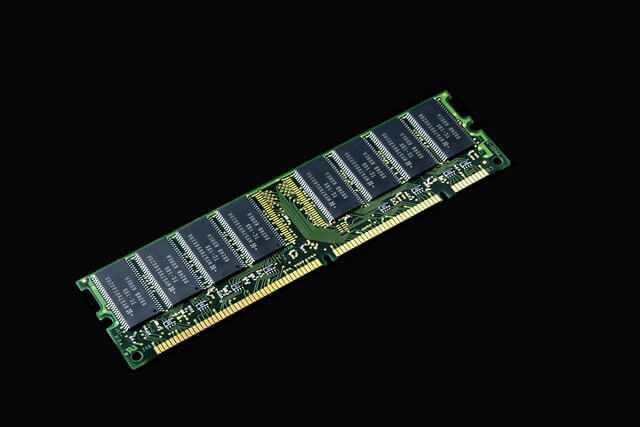
You don’t need a supercomputer. A modern laptop with 16GB+ RAM can run a 7B-parameter model efficiently, enabling real-time interaction without latency.
The Security & Ethical Imperative
Beyond convenience, there’s a profound ethical responsibility here. When AI is used in healthcare, education, or personal development, fields where vulnerability is common, developers and users must ask: Who owns my data? Who sees it? And who is accountable if something goes wrong?
Local execution answers these questions clearly:
- No external server = no data leakage.
- No cloud = no risk of hacking, unauthorized access, or data mining.
- Full transparency = true user autonomy.
This approach aligns with principles of ethical AI, digital self-determination, and mental health safety. It ensures that AI tools serve their users, not the other way around.
1- LM Studio
LM Studio or “Large Model” Studio is my first to go solution to run LLMs locally, It does not only offer dozens of open-source LLMs that you can download, install, and run on your machine, but if you are a developer it will also offer you a backend developer-friendly API to interact with this LLMs.
2- JAN
As Jan, promote itself as an offline-first ChatGPT alternative—it’s much more than that. It comes with dozens of user-friendly and developer-centered tools, making it our second choice. It features an easy-to-use interface and an assistant manager that lets you design, create, run, and stop assistants with ease—all through a simple, intuitive frontend.
Jan also enables you to run remote models using your API keys, includes a built-in MCP server, and offers a Local API compatible with OpenAI’s API, making it a powerful, flexible, and privacy-focused AI companion.
3- AnythingLLM
Basically, same as LM Studio and Jan.
AnythingLLM is a fully private, open-source AI application designed to work with any language model (LLM), document type, and agent, without requiring setup or cloud dependency.
It runs locally on your desktop (Windows, macOS, Linux) or can be self-hosted for teams, ensuring all data stays under your control.
- Key features include:
- Support for any LLM: Run local models (via built-in provider) or connect to enterprise providers like OpenAI, Azure, AWS.
- Document flexibility: Process PDFs, Word docs, CSVs, codebases, and even import from online sources.
- Privacy by default: All models, data, chats, and storage run locally, no accounts or data sharing required.
- User-friendly interface: No coding needed; intuitive UI makes powerful AI accessible to everyone.
4- OpenLLM
OpenLLM is an open-source framework designed to simplify the self-hosting and deployment of open-source large language models (LLMs), enabling developers to run models like Llama 3.3, Qwen2.5, Phi3, Mistral, Gemma, Jamba, and more as OpenAI-compatible APIs with a single command.
It is built for ease of use and enterprise readiness, it supports advanced inference backends, includes a built-in chat UI, and integrates seamlessly with Docker, Kubernetes, and BentoCloud for scalable cloud deployments.
5- GPT4All
GPT4All brings powerful AI right to your desktop, no internet, no API keys, and no need for a high-end GPU. It runs large language models locally on your MacBook, so your data stays private and secure. Whether you’re using an Intel or Apple Silicon Mac (M-series recommended), GPT4All is ready to go with simple, one-click installers.
Just download, launch, and start chatting with AI that works offline. With support for models like DeepSeek R1 Distillations, it’s fast, lightweight, and perfect for anyone who wants smart, private AI without the hassle.
6- LocalAI
LocalAI is the go-to open-source alternative if you’re tired of relying on cloud APIs and want full control over your AI stack, right on your machine. It’s a drop-in replacement for OpenAI’s API, so you can keep using familiar code while running everything locally. No internet? No problem. No monthly bills? Even better.
To run LocalAI, all you need to do is have Docker installed and run:
docker run -p 8080:8080 --name local-ai -ti localai/localai:latest
7- WebLLM
WebLLM brings powerful language models directly into your browser, no server, no API keys, just lightning-fast inference with WebGPU acceleration. Run open-source LLMs locally, fully compatible with OpenAI’s API, supporting streaming, JSON mode, and function calling. Perfect for private, real-time AI apps. Build custom web assistants with ease using the NPM package. A companion to MLC LLM, enabling AI anywhere, anytime, on any device.
It also offers a Google Chrome extension, real-time support, and custom models integrations.
WebLM built-in models include:
- Llama: Llama 3, Llama 2, Hermes-2-Pro-Llama-3
- Phi: Phi 3, Phi 2, Phi 1.5
- Gemma: Gemma-2B
- Mistral: Mistral-7B-v0.3, Hermes-2-Pro-Mistral-7B, NeuralHermes-2.5-Mistral-7B, OpenHermes-2.5-Mistral-7B
- Qwen (通义千问): Qwen2 0.5B, 1.5B, 7B
8- Android LLM Local LLMs on Android (Offline, Private & Fast)
This app allows you to run LLMs models locally and directly within your Android phone or device, without any custom or extensive configurations.
Local LLMs on Android Features include:
- Fully on-device LLM inference with ONNX Runtime.
- Hugging Face-compatible BPE tokenizer (
tokenizer.json) - Qwen2.5 & Qwen3 prompt formatting with streaming generation
- Custom
ModelConfigfor precision, prompt style, and KV cache - Thinking Mode toggle (enabled in Qwen3) for step-by-step reasoning
- Coroutine-based UI for smooth user experience.
- Runs 100% offline, no network, no telemetry
9- PocketLLM
PocketLLM is a cross-platform assistant that pairs a Flutter application with a FastAPI backend to deliver secure, low-latency access to large language models. Users can connect their own provider accounts, browse real-time catalogues, import models, and chat across mobile and desktop targets with a shared experience.
10- llamafile
llamafile is a free and open-source app from Mozilla, that lets you run any open-source LLM as a single, portable file, no install, no setup, no cloud. Works on macOS, Windows, Linux, and BSD with full hardware support.
It combines llama.cpp and Cosmopolitan Libc for seamless cross-platform use.
llamafile is fully OpenAI API compatible, private, fast, and perfect for devs and users who want simple, secure, local AI. One file. Infinite possibilities.
11- LLMFarm (iOS and macOS)
LLMFarm is a powerful iOS and macOS app that brings local LLM inference to Apple devices, supporting models built with ggml and llama.cpp. It lets you load, test, and compare various open-source LLMs with customizable parameters, ideal for developers and power users.
With support for RAG (Retrieval-Augmented Generation), multiple sampling methods, and Metal acceleration (Apple Silicon only), it delivers fast, private AI right on your device. Offers intuitive interfaces and model setting templates, making it easy to experiment with models like Llama, Mistral, Phi, and more, no cloud required.
12- Ollama
Ollama is a free and open-source that enables developers, engineers to run Large language Models locally on Windows, Linux and macOS. It also supports Docker, which means you can run it on your server easily.
Final Thought: The Future Is Local
As we continue to build AI agents for mental wellness, productivity, and creative thought, we must move beyond the assumption that “the cloud is always better.” In truth, for many use cases, especially those involving emotional well-being, identity, and personal growth, the safest, most responsible path is the one that stays local.
Running LLMs locally isn’t just a technical hack. It’s a commitment to privacy, dignity, and human-centered design.
If you’re building tools for ADHD, mood regulation, or therapeutic support, know that the most powerful AI isn’t the one that connects to the internet.
It’s the one that stays with you, in your pocket, on your machine, and never leaves your side.