This article introduces several Python IDEs and evaluates their strengths and weaknesses. Readers can refer to this list of Python IDEs to choose the editor that best suits their needs.
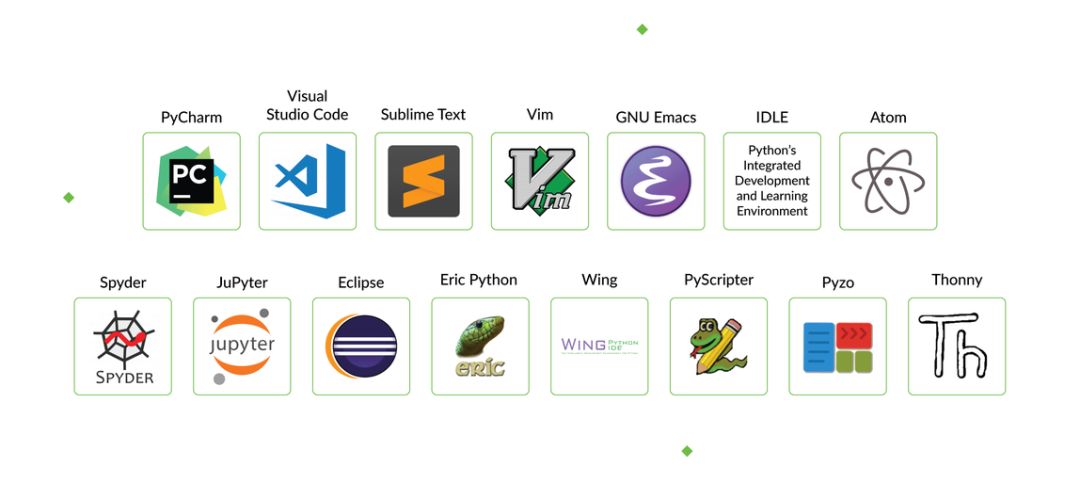
The best way to write Python code is arguably by using an Integrated Development Environment (IDE). IDEs not only make your work simpler and more logical but also enhance the programming experience and efficiency. Everyone knows this. The question, however, is how to choose the best Python development environment from the numerous options available. Beginner developers often face this issue.
This article will outline the most popular Python IDEs among programmers, as well as other noteworthy options. But first, let’s look at what an IDE is.
What is an IDE? What is its purpose?
An IDE is a software package used by developers when creating programs. It maximizes programmer productivity by integrating several highly correlated components through a simple user interface. Essentially, an IDE is a tool that improves the process of code creation, testing, and debugging, making these tasks easier.
Tools used by IDEs include:
- Text Editor
- Compiler and/or Interpreter
- Assembly Automation Tool
- Debugger
There is a term similar to IDE – Code Editor. Let’s first explore the similarities and differences between the two.
What is a Code Editor?
A code editor is a text editor capable of syntax highlighting and code formatting. Advanced code editors can be used to develop and modify code.
Key Characteristics of IDEs and Code Editors
What are the common advantages of IDEs and code editors? Both can help developers:
- Store and reopen scripts
- Run code
- Debug
- Highlight syntax
Most Popular IDEs for Python Developers
1. PyCharm
Download: https://www.jetbrains.com/pycharm/download/
Developed by the renowned software company JetBrains, PyCharm is considered one of the best Python IDEs, especially for Artificial Intelligence and Machine Learning. Most importantly, PyCharm integrates with numerous libraries (like Matplotlib and NumPy), helping developers explore more available options.
- Compatibility: Windows, macOS, Linux
- Key Plugins & Features:
- Built-in developer tools
- Remote development capabilities
- Live editing mode
- IPython Notebook
- Advantages:
- Supports web development frameworks like Pyramid, Flask, and Django.
- Offers smart code features for more precise and rapid bug fixing.
- Allows program development on remote hosts with Docker and Vagrant integration and SSH terminal.
- Disadvantages:
- Can have a cluttered interface.
- The full version can be expensive.
2. Visual Studio Code
Download: https://code.visualstudio.com/Download
Visual Studio Code is sometimes confused with the Visual Studio IDE, which is not commonly used by Python practitioners. VS Code is a full-featured code editor with many excellent features, and many programmers call it the best IDE editor.
- Compatibility: Windows, Linux, macOS
- Key Plugins & Features:
- Built-in Git
- Custom tools & extensions
- Breakpoint debugging
- Interactive console
- Advantages:
- Its Electron framework allows developers to use VS Code on almost all platforms.
- Debug directly within the editor.
- Supports numerous keyboard shortcuts to speed up programming.
- Disadvantages:
- Debugging functionality can be limited compared to full IDEs.
- Lacks built-in templates.
3. Sublime Text
Download: https://www.sublimetext.com/
Sublime Text is regarded as an excellent Python editor due to its simplicity, versatility, and convenience. It is widely used and available on different platforms.
- Compatibility: Windows, Linux, macOS
- Key Plugins & Features:
- Easy navigation for high performance.
- Supports various packages for customizing the editor.
- “Goto Anything” for quick navigation.
- Simultaneous editing (multiple selections).
- Instant project switching and split editing.
- Advantages:
- Can handle multiple markup languages.
- Allows users to select projects easily.
- Powerful API and organized ecosystem for high performance.
- Disadvantages:
- Can be too advanced for beginners.
- Its Git integration isn’t particularly powerful.
4. VI/Vim
Download: https://www.vim.org/
Vim ranks among the top 5 Python IDE tools. It is a modal editor, separating file manipulation from file editing. Vim represents a significant advancement over the original Vi, being much more powerful.
- Compatibility: Windows, Linux, macOS, IOS, Android, UNIX, AmigaOS, MorphOS
- Key Plugins & Features:
- Scripting allows performing almost any programming task with Python.
- Ctags for better tag navigation.
- Built-in basic word completion.
- Advantages:
- Keyboard-driven interface can enhance efficiency.
- Supports numerous plugins (e.g., for version control, file management).
- Extensive customization possible through the .vimrc file.
- Disadvantages:
- The interface can seem awkward and inconvenient to some developers.
- The modal editing concept requires time to learn.
5. GNU Emacs
Download: https://www.gnu.org/software/emacs/emacs.html
GNU Emacs is also a strong contender for the best Python editor. It is often described as extensible, self-documenting, and real-time display. Although not the newest in the industry, it is frequently updated to meet developer needs.
- Compatibility: Windows, Linux, macOS, IOS, Android, UNIX, AmigaOS, MorphOS
- Key Plugins & Features:
- Uses Lisp programming language for customization.
- Syntax highlighting.
- Support for Unicode.
- Advantages:
- Learning Lisp as a second language can help programmers.
- Highly compatible with various platforms.
- Vast array of customization scripts available.
- Disadvantages:
- The complex customization process might require more time to learn.
- Can be more complex to use than some other IDEs.
6. IDLE
Download: https://docs.python.org/3/library/idle.html
The IDLE code editor is popular among students; it’s the editor that comes bundled with Python. This editor is simple, versatile, and supports different devices. Developers can use IDLE to learn the basics before moving on to more complex tools.
- Compatibility: Windows, Linux, macOS
- Key Plugins & Features:
- Built with the tkinter GUI toolkit.
- Multi-window interface.
- Configured with dialogs, browsers, etc.
- Advantages:
- Allows users to highlight errors, auto-code, and perform accurate identification.
- Lightweight Python shell.
- Its built-in correction feature can improve performance.
- Allows users to search and replace within files in the editor.
- Disadvantages:
- Does not support copying to libraries.
- Limited functionality for large projects.
Best Python-Compatible IDEs for Machine Learning, AI, and Big Data
Python is one of the preferred languages in fields like Machine Learning, Artificial Intelligence, and Big Data. This section introduces IDEs suitable for Python development in these areas.
7. Atom
Download: https://atom.io/
Atom is an open-source editor compatible with almost all programming languages, like PHP and Java. It’s regularly updated, reliable, and versatile. GitHub developed powerful features for Atom to provide a great programming experience, including numerous plugins such as SQL queries packages, Markdown Preview Plus, and packages for editing, visualizing, and rendering LaTeX equations.
8. Spyder
Download: https://www.spyder-ide.org/
Spyder is developed for data science. It is an open-source tool compatible with many platforms, making it a better choice for IDE beginners. For ideal development, it integrates key libraries like NumPy, Matplotlib, and SciPy.
9. JuPyter/IPython Notebook
Download: https://jupyter.org/
Jupyter is a web-based editor that allows developers to create and run scripts or notebooks. It is relatively simple and more user-friendly. Jupyter also uses Seaborn and Matplotlib for data visualization.
Other Python Development IDEs
This section covers some less famous and popular but still noteworthy IDEs.
10. Eclipse + PyDev
Download:
https://www.eclipse.org/
https://www.pydev.org/
Eclipse is an open-source editor and also one of the preferred Python IDEs for Windows systems. Its extensions and plugins are powerful enough to build almost anything. When combined with the PyDev extension, Eclipse enables intelligent debugging and improves code quality.
11. Eric Python
Download: https://eric-ide.python-projects.org/
Eric is another less popular Python IDE, but it is powerful and efficient. Eric provides suitable features for both commercial and private use. It runs on all platforms.
12. Wing
Download: https://wingware.com/
Wing is a well-known Python IDE that enables smart programming. Its editor is easy to use, the debugger is powerful, and it supports remote programming, error checking, and other features, making it worth trying.
13. PyScripter
Download: https://sourceforge.net/projects/pyscripter/files/latest/download
PyScripter outperforms other Python IDEs for Windows with its excellent features. It’s also a good Python IDE for Mac systems, and its commercial version supports most programming languages. PyScripter has a rich feature set but remains lightweight.
14. Pyzo
Download: https://pyzo.org/start.html
Pyzo is a free, open-source programming tool that can work with any Python interpreter, even Conda environments. Its two most prominent features are simplicity and interactivity. Easy to use, it is very suitable for beginners.
15. Thonny
Download: https://thonny.org/
Developed by the University of Tartu, Thonny is suitable for beginner programmers. Its interface is free of complex or redundant features, making it very easy to start with. Another feature helpful for beginners is that you can see how Python evaluates your expressions at each step.
Conclusion
This article has outlined a wide range of excellent Python IDEs and other tools. Deciding which one to use depends on its convenience and your proficiency with it. Of course, there are popular choices (like PyCharm), but you can try several tools to see which one suits you best.