It’s 11 PM. You’re three hours into a refactoring sprint. In Terminal A, Claude Code is rewriting your authentication middleware. In Terminal B, Codex is optimizing your database queries. In Terminal C, Gemini is generating unit tests for the new endpoints. With OpenTeams, you are not coding, You are a switchboard operator.
You copy-paste context from Claude to Codex because they don’t talk to each other. You manually check Git status to see which agent overwrote whose changes. You lose track of which token bill belongs to which feature. By the time you merge, you’re exhausted, not from thinking, but from managing the chaos of your own tools.
This is the “Multi-Agent Paradox.” We have powerful individual agents, but no shared reality. They are brilliant soloists playing in different rooms, out of sync, stepping on each other’s lines.
That’s why OpenTeam is built, it is the room where they finally meet.
What Is OpenTeams?
OpenTeams is not another LLM. It is not a replacement for Claude Code, Codex, or Gemini CLI. It is the orchestration layer that sits above them.
Think of it as a local-first workspace where your existing coding agents become teammates. Instead of juggling five terminal windows, you open one OpenTeams session. Inside, you invite your agents. They share context, hand off tasks, and operate within a unified plan that you control.
It solves the fragmentation problem by providing:
- Shared Context: Agents see what others have done. No more copy-pasting error logs.
- Isolated Worktrees: Each agent works in its own Git branch/workspace. No more merge conflicts until you’re ready to review.
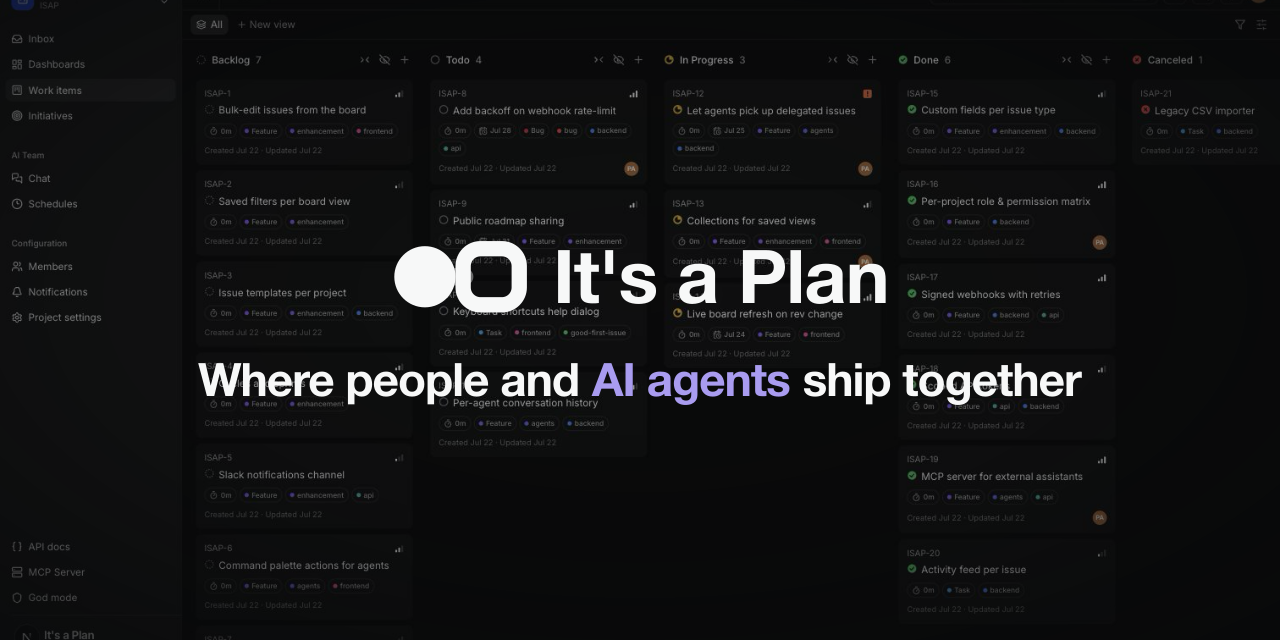
- Developer-Controlled Roadmap: You define the issues. Agents execute them. They don’t rewrite your priorities; they fulfill them.
- Transparent Cost Tracking: You see exactly what was built, how many tokens it cost, and which agent did the heavy lifting.
OpenTeams turns a scattered collection of CLI tools into a cohesive engineering team. It’s the difference between hiring five freelancers who never speak and building an in-house squad with a shared whiteboard.
Who Is This For?
OpenTeams is not for everyone. If you’re happy asking one agent to do everything and waiting for it to finish, you don’t need this.
This is for:
- The Multi-Agent Power User: You run Claude for architecture, Codex for speed, and Gemini for testing. You’re tired of the manual glue work.
- The Technical Lead: You need to review agent output step-by-step. You want to interrupt a workflow, retry a specific node, and see exactly why an agent made a decision.
- The Privacy-Conscious Dev: You want local-first control. Your code, your keys, your history. No cloud black boxes swallowing your IP.
- The Cost-Optimizers: You need to know if that $50 token bill actually shipped value. OpenTeams links build statistics directly to agent sessions.
It is not for people who want a fully autonomous AI that runs their company. OpenTeams keeps the human in the loop. You set the plan. You approve the merges. You own the roadmap.
Features That Actually Matter
1. Shared Sessions & Agent Handoffs
Stop treating agents like isolated chatbots. In OpenTeams, agents exist in a shared session. Claude can start a task, hit a complex edge case, and hand it off to Codex with full context preserved. The conversation history is linear, readable, and inspectable.
2. Workflow Mode with Visual Dependencies
For larger tasks, OpenTeams uses a visual workflow engine (built with React Flow). You see the steps before execution. You can skip nodes, retry failed steps, or pause the entire pipeline. It’s not a black box prompt; it’s a visible assembly line.
3. Isolated Git Worktrees
This is the killer feature for parallel work. When three agents work on three different features, they each get their own Git worktree. They can’t overwrite each other’s files. You review the changes in isolation, then merge them when they’re ready. No more “who touched this file?” anxiety.
4. Developer-Owned Issues
Agents don’t decide what to build. You create issues in OpenTeams. These issues link directly to agent sessions. When an agent completes a task, it updates the issue. The roadmap stays yours; the execution becomes theirs.
5. Build Statistics & Cost Transparency
OpenTeams doesn’t just count tokens. It shows you what those tokens bought. You get a dashboard linking agent output to resource usage. Did that expensive Claude session actually improve performance? The data tells you.
6. Universal Agent Support
It doesn’t care which model you prefer. It supports:
- Claude Code (Anthropic)
- Codex (OpenAI)
- Gemini CLI (Google)
- Qwen Code (Alibaba)
- GitHub Copilot
- Cursor
- Kimi Code
- And more…
You mix and match. Use Claude for reasoning, Codex for speed, and Qwen for local tasks. OpenTeams manages the handshake.
How to Install
OpenTeams is designed to be lightweight and local-first. You can run it as a desktop app or via the CLI.
Option 1: Desktop App (Recommended)
This gives you the full UI, visual workflows, and easy provider management.
- Download: Go to the GitHub Releases page and grab the latest version for your OS (Windows, macOS, or Linux).
- Install:
- Windows/Linux: Run the installer.
- macOS: Drag
openteams.appto your Applications folder.
- Configure Providers: Open the app. Go to Settings → Provider Config. Add your API keys for Claude, OpenAI, Google, etc.
Note: Since it’s not notarized by Apple, Gatekeeper might flag it. If you trust the source (official GitHub), run this in your terminal to unquarantine it:
xattr -dr com.apple.quarantine /Applications/openteams.app
Option 2: CLI via npx
If you prefer the terminal or want to script it:
npx openteams-web
This launches the web interface locally. You’ll still need to configure your providers in the UI.
Setting Up Your Agents
OpenTeams includes a built-in CLI agent, but its power comes from integrating your existing tools. Install the agents you want to use:
# Example: Install Claude Code and Codex
npm i -g @anthropic-ai/claude-code
npm i -g @openai/codex

# Example: Install Gemini CLI
npm i -g @google/gemini-cli
Once installed, OpenTeams detects them. You can then invite them into your sessions via the UI.
Local Development (For Contributors)
If you want to hack on it:
git clone https://github.com/openteams-lab/openteams.git
cd openteams
pnpm i
npm run dev
Prerequisites: Rust >= 1.75, Node.js >= 18, pnpm >= 8.
The Bottom Line
We’ve spent years building better AI models. We’ve ignored the infrastructure needed to use them together. OpenTeams fixes that. It’s not about getting more AI. It’s about getting organized AI.
If you’re still copying context between terminal windows, you’re working harder than you need to. Stop managing the agents. Start managing the work.
Star the repo. Try the desktop app. And finally, give your AI team a place to sit together.